Diagnosing RAM errors What can I do to find the failty…
0 reactions
Diagnosing RAM errors
What can I do to find the failty part?
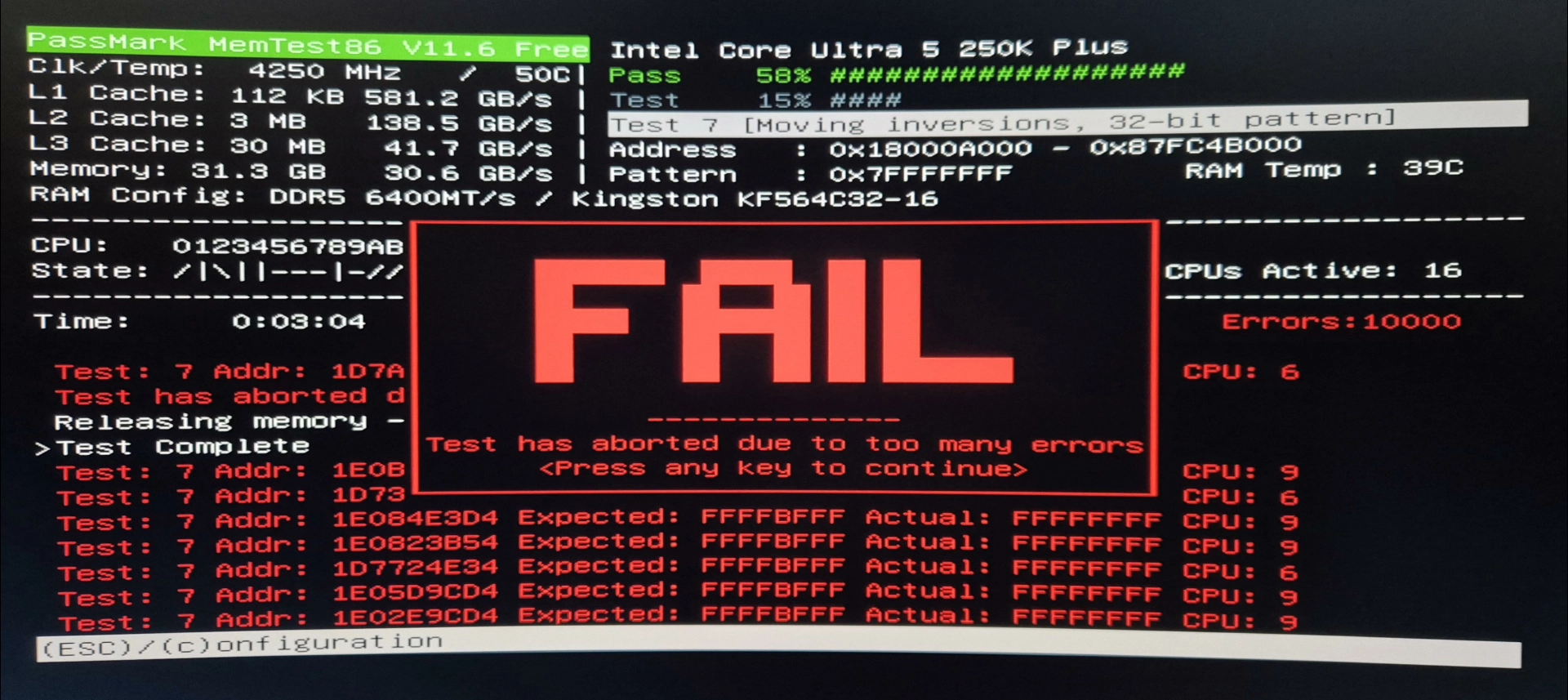
The obvious culprit would be 1 or both of the DDR5 DIMMs. But yesterday I tested them in my father-in-law's AM5 desktop and they passed everything. Putting his DDR5 kit in my desktop also gives errors. So that leaves either the motherboard or CPU. But how can I be certain of which one it is?
I'm currently testing:
Putting both DIMMs in slots 1&3 instead of 2&4. This even fails to POST.
I'm now testing each DIMM individually in each of the 4 slots.
Afterwards I'm going to inspect the CPU socket and CPU itself for damage. Although I did inspect the socket before putting the CPU in, and mounted the CPU with the required caution.
Lastly I'm going to load the default BIOS settings again, and re-enable Intel 200S with the 6400MT/s XMP profile. I'm already at the most recent BIOS version of the motherboard.
Btw, memtest86 does give a pass when Intel 200S is not enabled and running the DIMMs at JEDEC 4800MT/s. But that's not how either of these products are advertised, so I don't see this as a valid 'fix'. Enabling Intel 200S does not void warranty.
#technology
source
What can I do to find the failty part?
The obvious culprit would be 1 or both of the DDR5 DIMMs. But yesterday I tested them in my father-in-law's AM5 desktop and they passed everything. Putting his DDR5 kit in my desktop also gives errors. So that leaves either the motherboard or CPU. But how can I be certain of which one it is?
I'm currently testing:
Putting both DIMMs in slots 1&3 instead of 2&4. This even fails to POST.
I'm now testing each DIMM individually in each of the 4 slots.
Afterwards I'm going to inspect the CPU socket and CPU itself for damage. Although I did inspect the socket before putting the CPU in, and mounted the CPU with the required caution.
Lastly I'm going to load the default BIOS settings again, and re-enable Intel 200S with the 6400MT/s XMP profile. I'm already at the most recent BIOS version of the motherboard.
Btw, memtest86 does give a pass when Intel 200S is not enabled and running the DIMMs at JEDEC 4800MT/s. But that's not how either of these products are advertised, so I don't see this as a valid 'fix'. Enabling Intel 200S does not void warranty.
#technology
source


| 2,000 mlx | |
| 2 | |
| 0 |