Cleaned and oiled z axis as per bambu instructions, and…
0 reactions
Cleaned and oiled z axis as per bambu instructions, and now this is happening. Help.
(Bambu P1S)
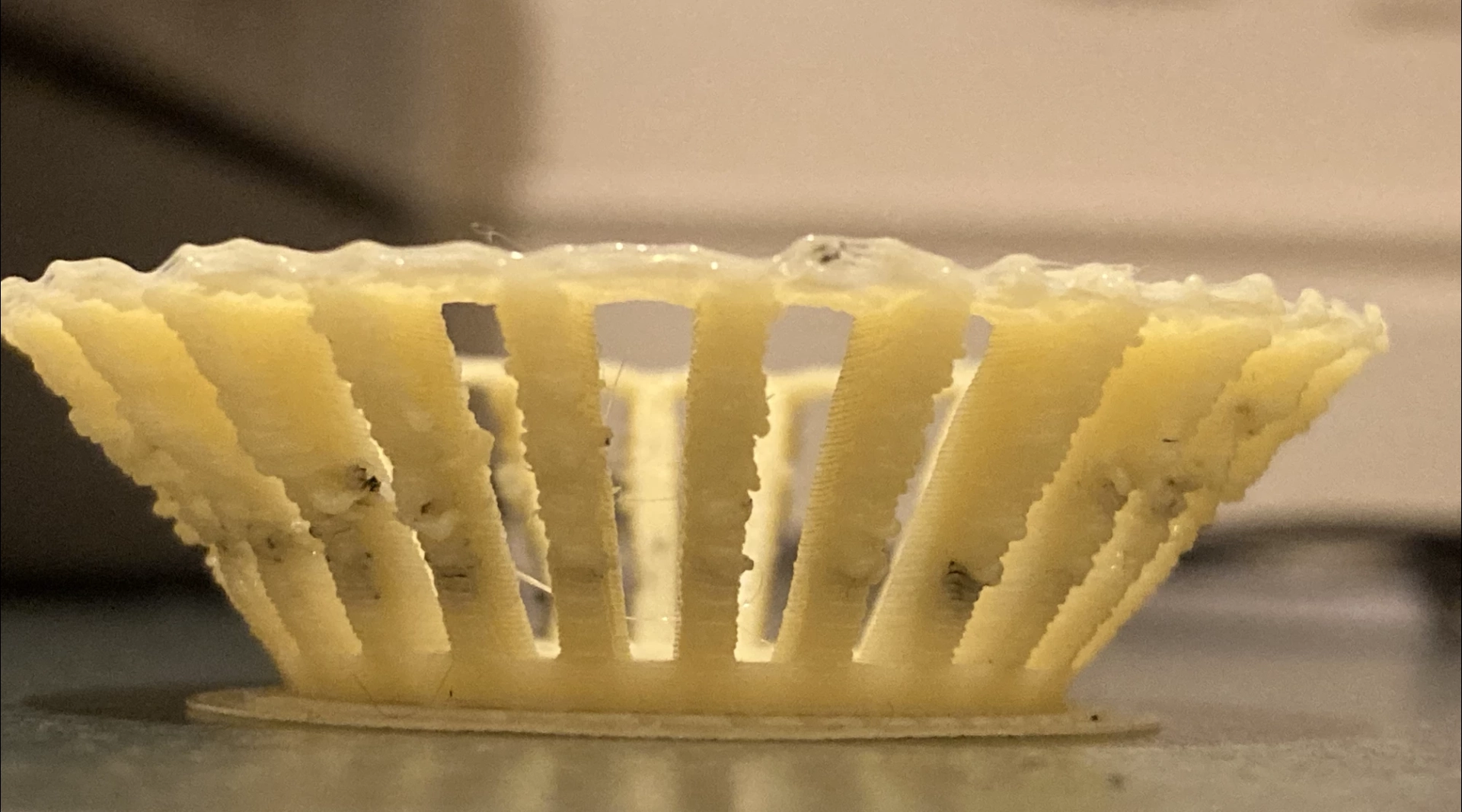
I've been having z axis squeak, so have been cleaning and messing around in the undercarriage trying to sort it out. Nothing crazy, all things recommended by bambu. But now my prints are coming out mangled. (Ignore the black bits, that's just bleed of a different colour, same kind of filament. Was just doing a functional print that would never be seen so didn't care about fully purging the old colour.)
I watched it printing, and it seems like the nozzle z offset is too low and the nozzle is pushing down to hard and deforming things. It also seems like that offset worsens the more layers it prints, because the first 5-10 layers seem pretty clean. I'm not sure just adjusting the z offset in the slicer is the solution, it seems like the z belt isn't advancing quite far enough. I listened to it calibrating and printing, and I couldn't hear it skipping, but it could be I suppose.
Any idea what might be happening? Is it potentially the belt being too slack?
(Some disclaimers: this is happening with all filaments, including some that worked perfectly earlier today. Filament was dried in a filament dryer before use, sitting at 10%)
#technology
source
(Bambu P1S)
I've been having z axis squeak, so have been cleaning and messing around in the undercarriage trying to sort it out. Nothing crazy, all things recommended by bambu. But now my prints are coming out mangled. (Ignore the black bits, that's just bleed of a different colour, same kind of filament. Was just doing a functional print that would never be seen so didn't care about fully purging the old colour.)
I watched it printing, and it seems like the nozzle z offset is too low and the nozzle is pushing down to hard and deforming things. It also seems like that offset worsens the more layers it prints, because the first 5-10 layers seem pretty clean. I'm not sure just adjusting the z offset in the slicer is the solution, it seems like the z belt isn't advancing quite far enough. I listened to it calibrating and printing, and I couldn't hear it skipping, but it could be I suppose.
Any idea what might be happening? Is it potentially the belt being too slack?
(Some disclaimers: this is happening with all filaments, including some that worked perfectly earlier today. Filament was dried in a filament dryer before use, sitting at 10%)
#technology
source


| 1,000 mlx | |
| 4 | |
| 0 |