6 reactions
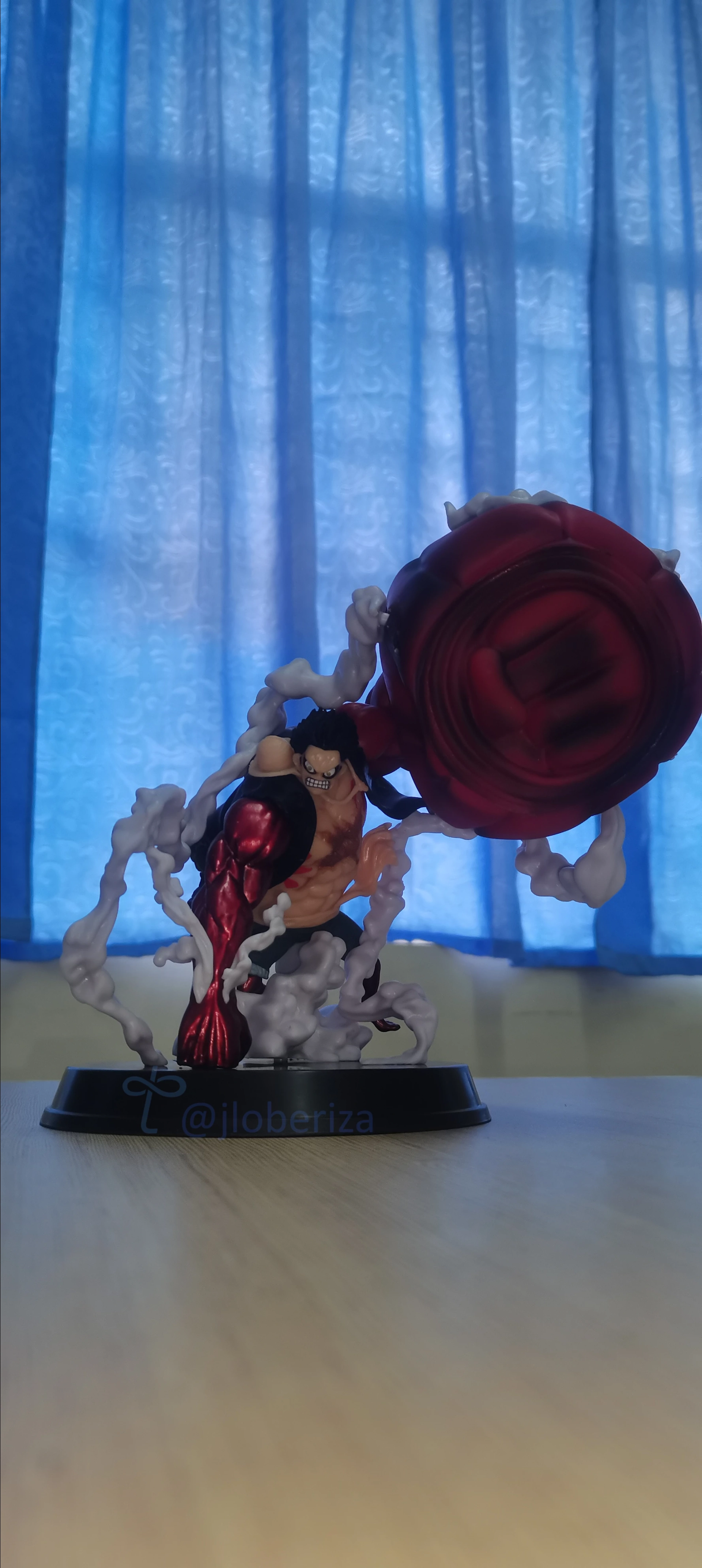
Raw Reality: My Gear Fourth Luffy, unedited! 💥 Let's talk about what not to do with our phone camera.
Hey #MobilensWorld fam! 👋 Let me share this unedited shot of my Luffy Gear Fourth figure as a little "what not to do" lesson for mobile photographers. We all start somewhere, and even I make mistakes!
Looking at this, here are a few things I could have definitely improved on with just my phone:
Distracting Background: Those blue curtains are pulling focus from Luffy! I should have tried taking some shots with a plain wall as a background.
Poor Framing/Composition: Luffy is a bit too centered, and there's a lot of empty space on the left and on top too. I should have tried some close-up shots and applying the rules of the thirds. And I think I should also check the aspect ratio.
Uneven Lighting: While the window light gives some glow, it's a bit harsh and creates some dark shadows on Luffy. Diffusing the light (e.g., with a thin white cloth) or using a reflector (even a piece of white paper!) could balance it out.
Cluttered Foreground: There's a lot of table on the bottom. Again, I should have moved the phone closer and tried a different angle.
I will try again tomorrow and hopefully avoid the mistakes I mentioned here.
----
Do you have your go-to "don't dos" when shooting with your phone? Care to share them?
What other mobile photography mistakes do you see here? Also, what mobile photography mistakes do you see most often? Let's learn from each other! 👇
Phone: Huawei Nova 7SE
#MobilePhotography #SmartphonePhotography #PhotographyFails #LearningPhotography #PhotographyTips #MobilePhotographyTips #UneditedPhoto #OnePiece #Luffy #AnimeFigures #FigurinePhotography #ShotOnPhone #TangledSocial #MobilensWorld #CritiqueMyPhoto #huaweiphone
Hey #MobilensWorld fam! 👋 Let me share this unedited shot of my Luffy Gear Fourth figure as a little "what not to do" lesson for mobile photographers. We all start somewhere, and even I make mistakes!
Looking at this, here are a few things I could have definitely improved on with just my phone:
Distracting Background: Those blue curtains are pulling focus from Luffy! I should have tried taking some shots with a plain wall as a background.
Poor Framing/Composition: Luffy is a bit too centered, and there's a lot of empty space on the left and on top too. I should have tried some close-up shots and applying the rules of the thirds. And I think I should also check the aspect ratio.
Uneven Lighting: While the window light gives some glow, it's a bit harsh and creates some dark shadows on Luffy. Diffusing the light (e.g., with a thin white cloth) or using a reflector (even a piece of white paper!) could balance it out.
Cluttered Foreground: There's a lot of table on the bottom. Again, I should have moved the phone closer and tried a different angle.
I will try again tomorrow and hopefully avoid the mistakes I mentioned here.
----
Do you have your go-to "don't dos" when shooting with your phone? Care to share them?
What other mobile photography mistakes do you see here? Also, what mobile photography mistakes do you see most often? Let's learn from each other! 👇
Phone: Huawei Nova 7SE
#MobilePhotography #SmartphonePhotography #PhotographyFails #LearningPhotography #PhotographyTips #MobilePhotographyTips #UneditedPhoto #OnePiece #Luffy #AnimeFigures #FigurinePhotography #ShotOnPhone #TangledSocial #MobilensWorld #CritiqueMyPhoto #huaweiphone


5


36 reactions
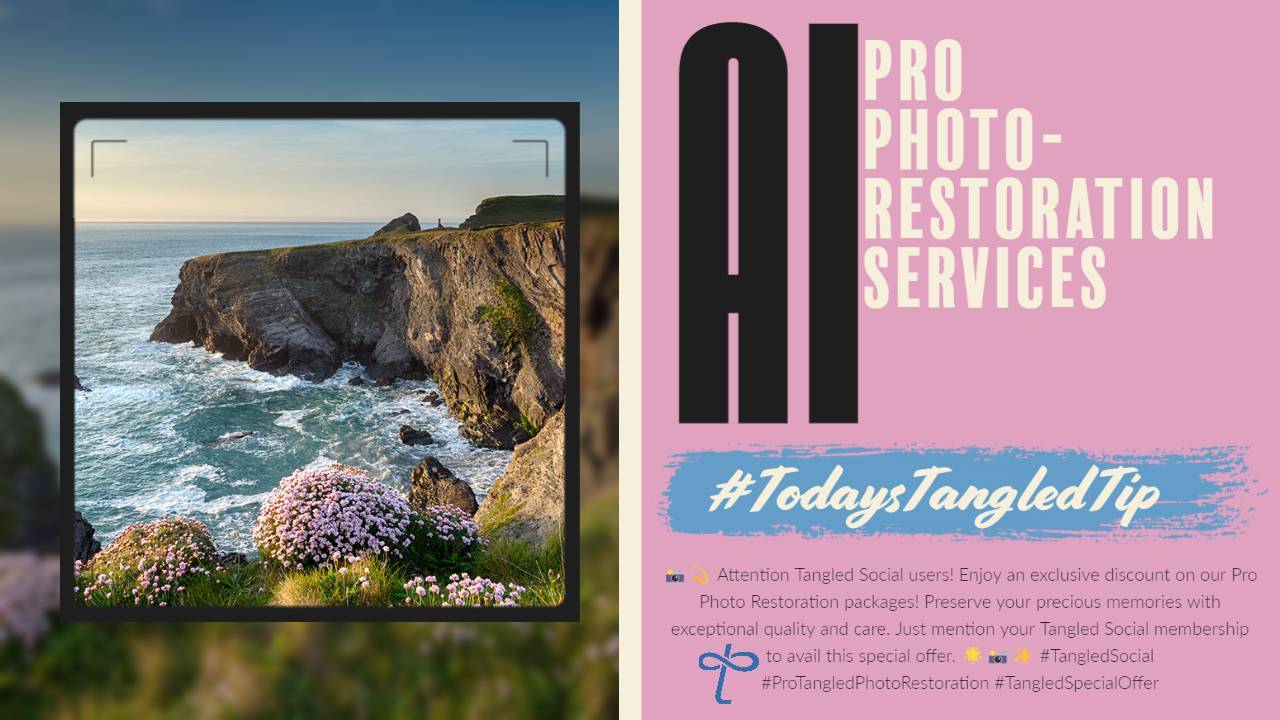
📚 #TodaysTangledTip : Photo Restoration Services Provided by You! 📷✨
✨Clean Up Images for People as a business! Creating a clean-up and restoration service for photos using these AI-powered tools can be a great way to showcase your skills and provide value to others. AI-based tools can work wonders when it comes to image editing. Whether you want to remove unwanted items, erase backgrounds, or upscale pixelated images, there's a wide range of AI-powered tools available to help you achieve remarkable results. Here are some recommended tools to consider:
💦 Watermark Remover : Bid farewell to those pesky watermarks that sometimes obstruct the beauty of your images. This tool can effortlessly remove them, allowing your visuals to shine without any distractions. 💦✨
📷 AI Image Upscaler : Enhance the resolution and quality of low-resolution or pixelated images using advanced AI algorithms. Give your images a boost, revealing hidden details and making them sharper and more vibrant. 🚀🔍
🐕 Gigapixel AI Upscaler : Take image upscaling to the next level with this powerful tool. It can dramatically enhance the size and quality of your images while preserving intricate details, resulting in stunning high-resolution visuals. 📈🌟
🎈 ClipDrop : Unleash your creativity by seamlessly extracting objects from photos and placing them in different backgrounds or compositions. This tool opens up endless possibilities for creating captivating visuals. ✂️🎨
🪄 Magic Eraser : Say goodbye to unwanted elements in your images with just a few clicks. The Magic Eraser tool helps you remove blemishes, objects, or distractions, leaving you with a clean and polished final result. ✨🧹
❤️Don't forget to show your support by tipping, liking, and subscribing to
❤️Have tips or advice that will benefit everyone Tangled Social? Share them using the hashtag #TodaysTangledTip and #Tangled to inspire others and spread the knowledge.
#ImageEditing #AIEnhancement #PhotographyTips #CreativeTools #Tangled #TodaysTangledTip #Tangled #AIArtist
💥
✨Clean Up Images for People as a business! Creating a clean-up and restoration service for photos using these AI-powered tools can be a great way to showcase your skills and provide value to others. AI-based tools can work wonders when it comes to image editing. Whether you want to remove unwanted items, erase backgrounds, or upscale pixelated images, there's a wide range of AI-powered tools available to help you achieve remarkable results. Here are some recommended tools to consider:
💦 Watermark Remover : Bid farewell to those pesky watermarks that sometimes obstruct the beauty of your images. This tool can effortlessly remove them, allowing your visuals to shine without any distractions. 💦✨
📷 AI Image Upscaler : Enhance the resolution and quality of low-resolution or pixelated images using advanced AI algorithms. Give your images a boost, revealing hidden details and making them sharper and more vibrant. 🚀🔍
🐕 Gigapixel AI Upscaler : Take image upscaling to the next level with this powerful tool. It can dramatically enhance the size and quality of your images while preserving intricate details, resulting in stunning high-resolution visuals. 📈🌟
🎈 ClipDrop : Unleash your creativity by seamlessly extracting objects from photos and placing them in different backgrounds or compositions. This tool opens up endless possibilities for creating captivating visuals. ✂️🎨
🪄 Magic Eraser : Say goodbye to unwanted elements in your images with just a few clicks. The Magic Eraser tool helps you remove blemishes, objects, or distractions, leaving you with a clean and polished final result. ✨🧹
❤️Don't forget to show your support by tipping, liking, and subscribing to
❤️Have tips or advice that will benefit everyone Tangled Social? Share them using the hashtag #TodaysTangledTip and #Tangled to inspire others and spread the knowledge.
#ImageEditing #AIEnhancement #PhotographyTips #CreativeTools #Tangled #TodaysTangledTip #Tangled #AIArtist
💥
12

4

3

2

2